Prepaid Billing
SaladCloud uses prepaid billing. Billing, payment methods, and credits are managed at the organization level. All credit purchases are final, non-transferable between organizations, and expire 12 months from the purchase date. To keep your organization’s workloads active you must purchase credits as needed to maintain a positive credit balance. There are two options to purchase credits: Auto Recharge and Manual Recharge. For production workloads, SaladCloud strongly recommends enabling Auto Recharge to maintain a positive credit balance and ensure uninterrupted service. For testing or non-production workloads, such as long-running batch jobs, either option may be suitable.Auto Recharge
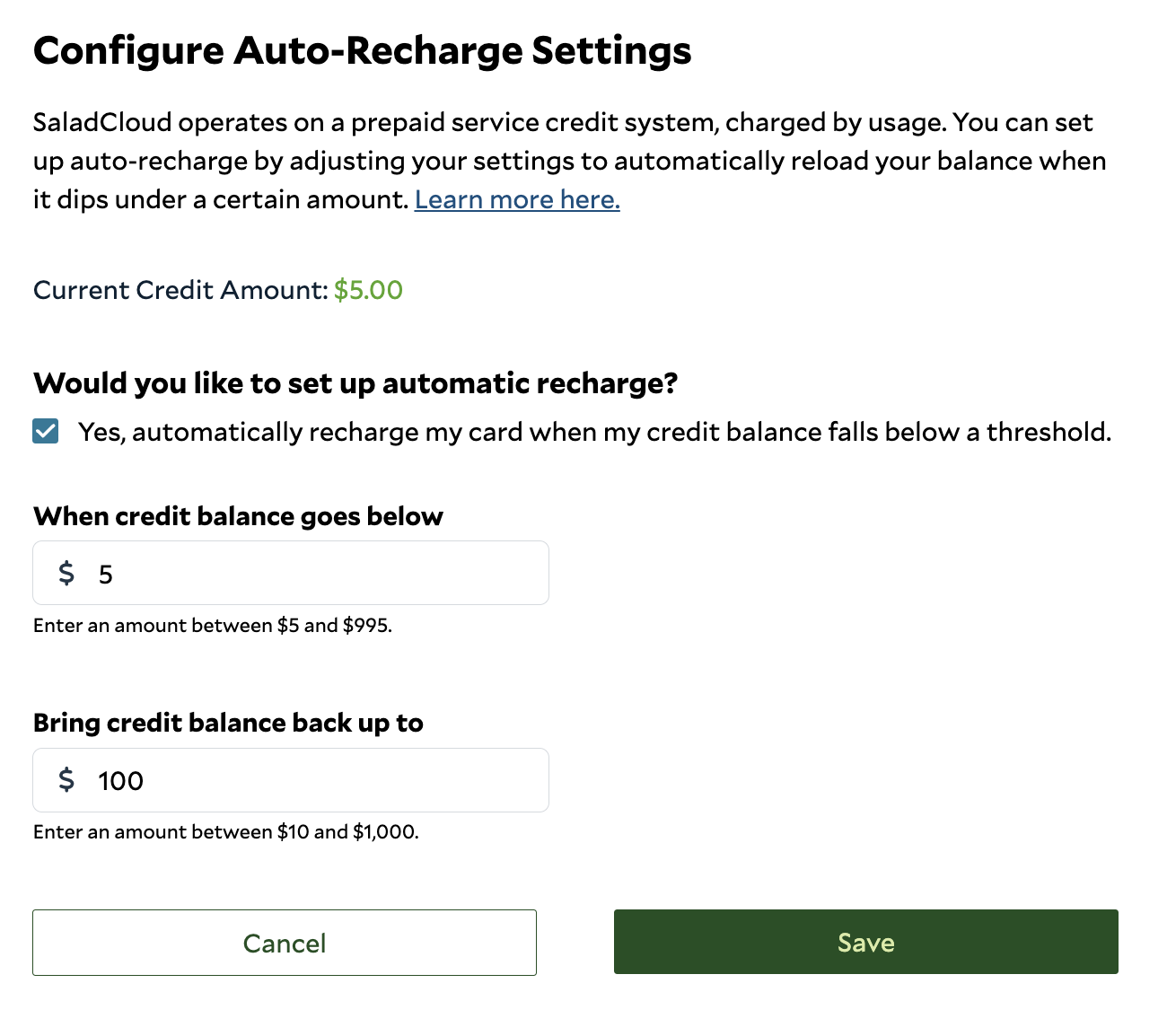
With auto recharge, configure a threshold and recharge amount, allowing SaladCloud to automatically replenish your organization’s credit balance when needed with a saved payment method.- Recharge Threshold: The balance level that triggers an auto recharge (“when my balance falls below”). We recommend setting this to 10% of your recharge amount (e.g., a $100 threshold for a $1,000 top-up). Adjust proportionally as your usage grows.
- Recharge Amount: The amount SaladCloud will add to your balance when the threshold is reached.
Manual Recharge
At any time, you can add up to $2,000 in credits by clicking Add to Credit Balance on the Billing & Usage page. For amounts exceeding $2,000, see volume discounts below. If your balance reaches $0.00, usage will be shut down as soon as possible. If charges are incurred beyond your available balance, you will receive an invoice at the start of the following month.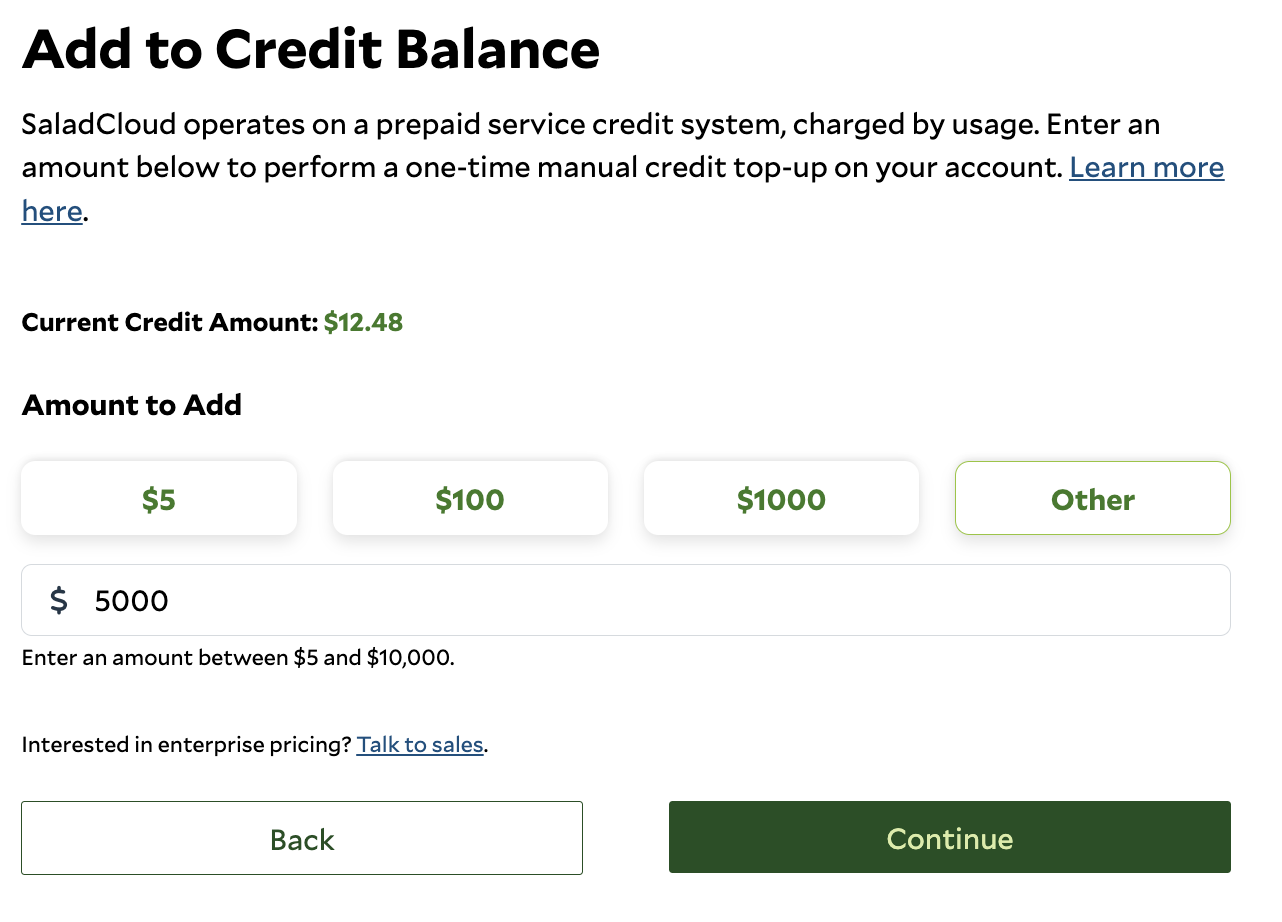
Accepted Payment Types
We accept:- Credit and debit cards: Standard payment method for most customers and for automatic recharges.
- RENDER tokens (Solana)
- USDC (USD Coin, Solana)
- EURC (Euro Coin, Solana)
Manual Crypto Payments
SaladCloud supports direct crypto payments for credits using RENDER, USDC, and EURC tokens on the Solana network. This provides a fast, secure, and global way to fund your SaladCloud account, especially for organizations and users who prefer decentralized payment methods or need to transact in stablecoins or RENDER tokens. Supported Solana Tokens and Mint Addresses:How to Add SaladCloud Credits with Crypto Payments
- In the Portal, select the organization you want to add credits to.
- In the left menu, click Billing & Utilization.
- On the Billing Information tab, click Add credits.
- Choose your preferred token (RENDER, USDC, or EURC).
- Enter the amount of tokens you wish to send.
- Before sending tokens, email us with your SaladCloud organization name, the public key you will send from, and the token amount. We will provide an email template for your convenience. This helps us link your payment to your account and apply credits promptly.
- We will reply with a Solana Pay QR code for the transaction, which you can scan with a compatible wallet to complete payment. Alternatively, you may send directly to the provided wallet address.
- SaladCloud will validate your transaction and apply credits to your account, typically within one business day.
Important Details
- You may be required to sign a message to verify wallet ownership. Ensure you have access to the wallet’s private key to complete this step.
- SaladCloud credits are valued at the token/USD or token/EUR exchange rate provided by Jupiter at the time of transaction.
- For large transactions, questions about supported wallets, or other tokens, contact support.
- Always verify the wallet address and transaction details before sending tokens, as crypto transactions are irreversible.
- Sending fewer than 1 token may result in significant network fees that may reduce the value of SaladCloud credits to 0 or fail the transaction. We recommend sending at least 5 tokens to ensure a cost-effective transaction.
Volume Discounts
Prepaid credit purchases may be eligible to receive the discounts listed below.
For prepaid discounts, purchases above $150,000 or enterprise billing arrangements, contact us at
sales@salad.com.
Managing Billing and Usage
The SaladCloud Portal Billing & Usage page displays your current credit amount and allows you to view and manage billing information for your organization. Your current credit balance is displayed at the top of the page so you can quickly see how much credit is available for your organization. Note any negative balance that has been invoiced will not be reflected in this amount. From the Billing Information tab you can add or update your payment card, add to your credit balance, and edit auto recharge settings. You can also manage billing contact information and historical payment invoices. The Invoice tab provides access to current and historical invoices for your organization.