

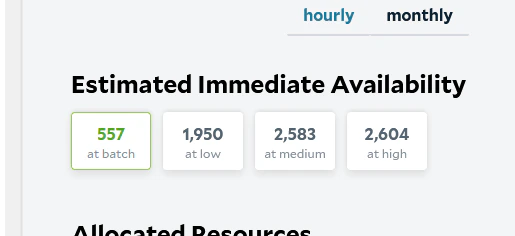
- Availability only includes currently online nodes. Many more nodes are available on our network and can be activated as needed. If you need more capacity than is currently available, reach out to SaladCloud support and we can work to grow the network based on anticipated needs.
- Node allocation depends on multiple factors, not just priority level. Even if few nodes are shown as available at your selected priority level, your workload may be able to be allocated nodes from other workloads. For example, if your workload has higher RAM requirements, nodes from same-priority workloads may be reallocated to meet those needs.
- Nodes where your workload exited will still appear in availability counts. Availability data can include nodes that previously ran your workload and exited with a non-zero exit code and will not be reassigned to it. Check your workload’s system events to confirm whether it has failed on nodes.
- Available nodes may not be immediately reassigned. Some nodes remain with their current workloads for a minimum running duration before being reallocated. This prevents excessive workload churn and repeated image pulls. The minimum duration varies by priority level—from about 30 minutes for low-priority workloads to indefinitely for high-priority workloads, which are never reallocated.