

Step 1: Generate Keys and Tokens
Generate keys and get your token in Amazon Elastic Container Service.Follow this official Amazon ECS guide to generate AWS keys and retrieve your token.Step 2: Configure Image in SaladCloud Container Environment (SCE)
Access the SaladCloud portal, Set up your SCE by selecting the private registry tab when setting the image source. In the service dropdown option, choose “AWS Elastic Container Registry” and provide the following information:- Image name (example:
docker.io/{username}/{my-container-image}:{version/latest})
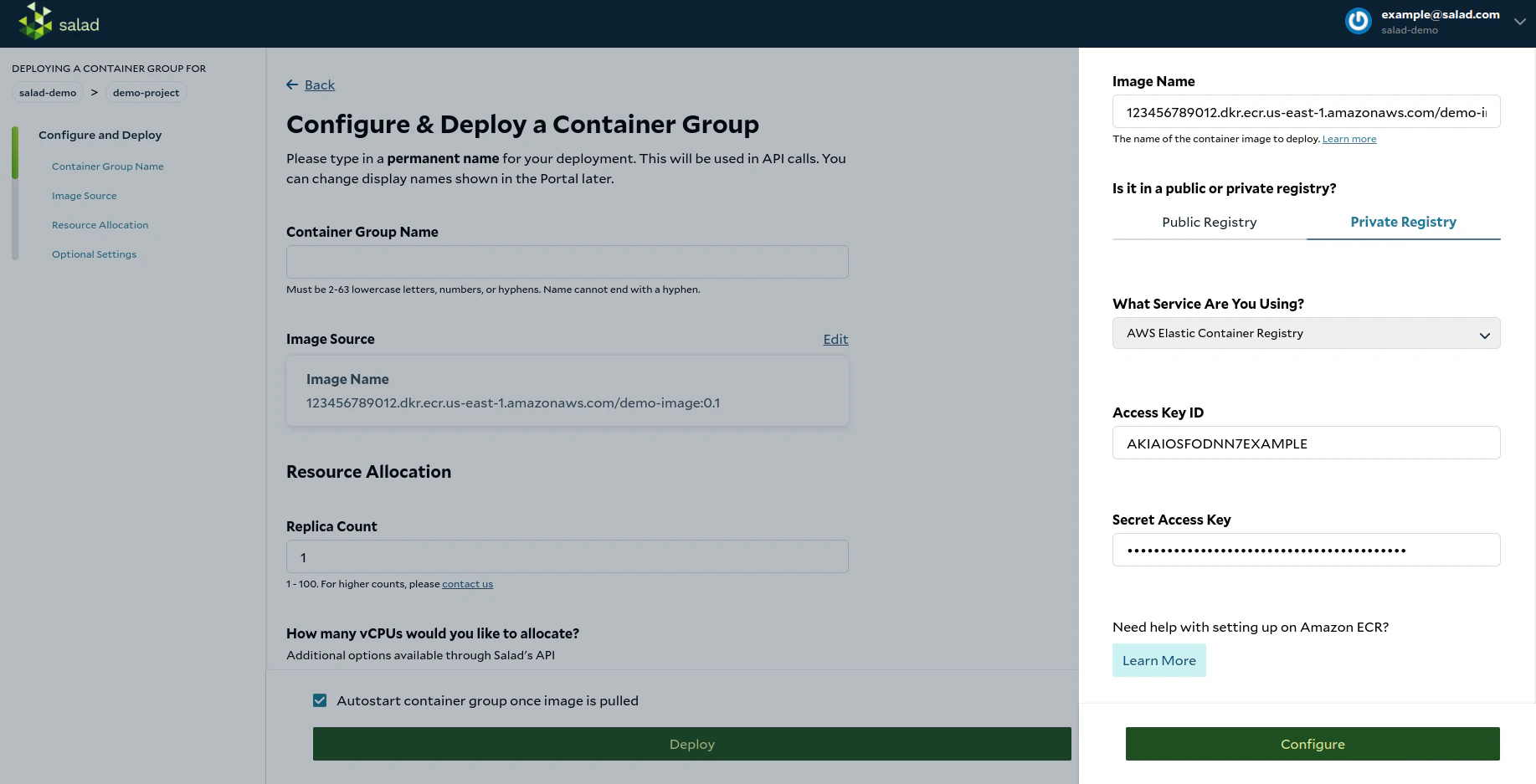
- Access Key ID:
AKIAIOSFODNN7EXAMPLE - Secret Access Key:
wJalrXUtnFEMI/K7MDENG/bPxRfiCYEXAMPLEKEY
👍 Congratulations! You have successfully configured the private container registry using Amazon Elastic Container Registry (ECR). Now, you can proceed to configure and deploy your container group.Please refer to the AWS documentation for more information.