| 1 | There are several ways to install a Salad VK instance into your Kubernetes cluster. The simplest method is to use the provided Helm chart. Alternatively, you can build a custom binary, image, or Helm chart for a more tailored installation. | Please refer to the installation guide for detailed instructions. |
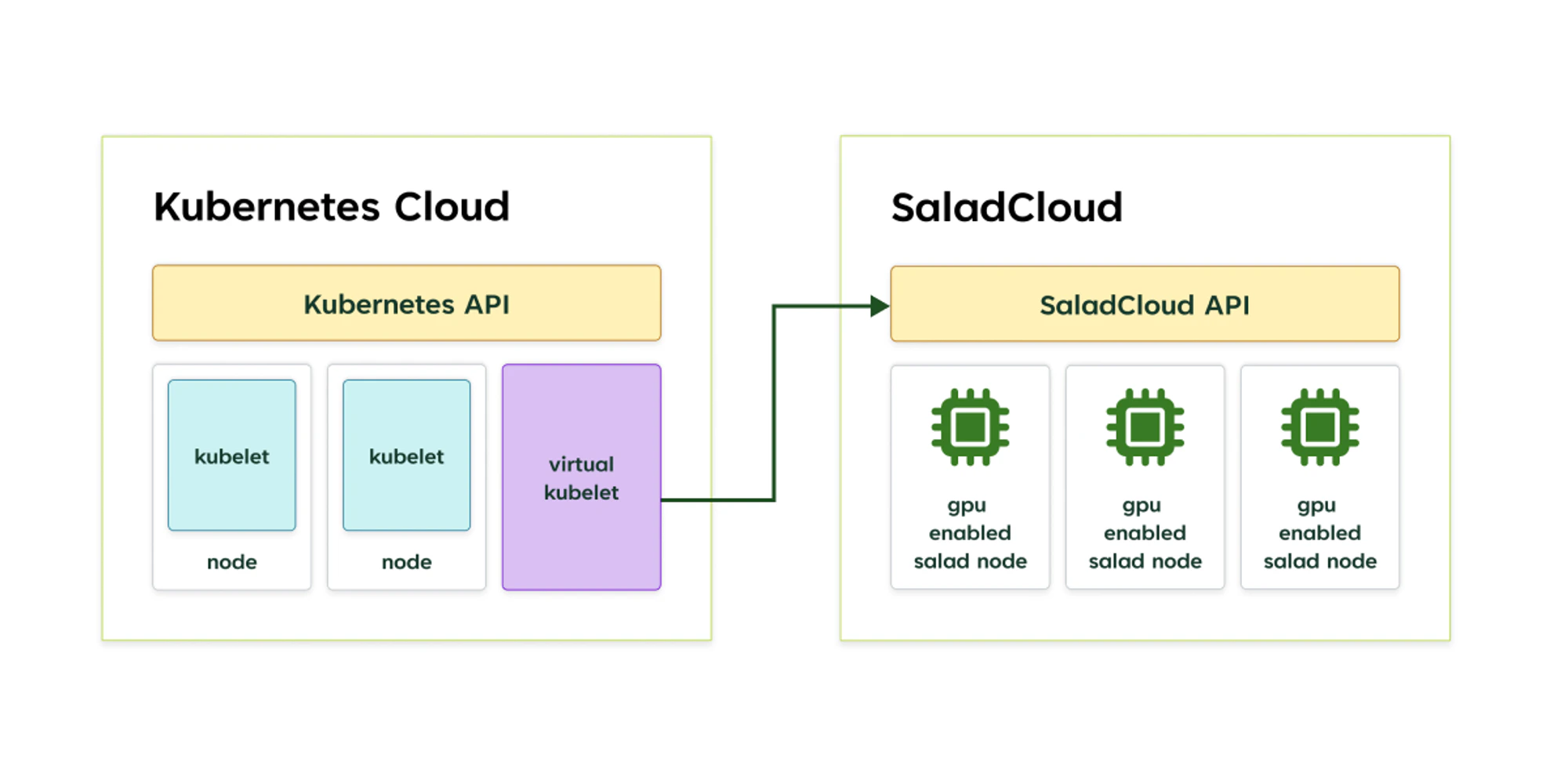
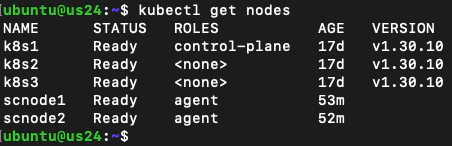
| 2 | You can simultaneously run multiple VK nodes in a Kubernetes cluster. Each VK node is exclusively tied to a single project on SaladCloud, and any resources not created by the VK node will be automatically removed. | Ensure that each VK node is deployed with its own dedicated, empty project on SaladCloud. |
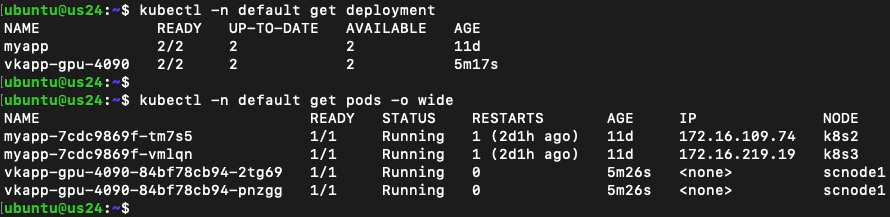
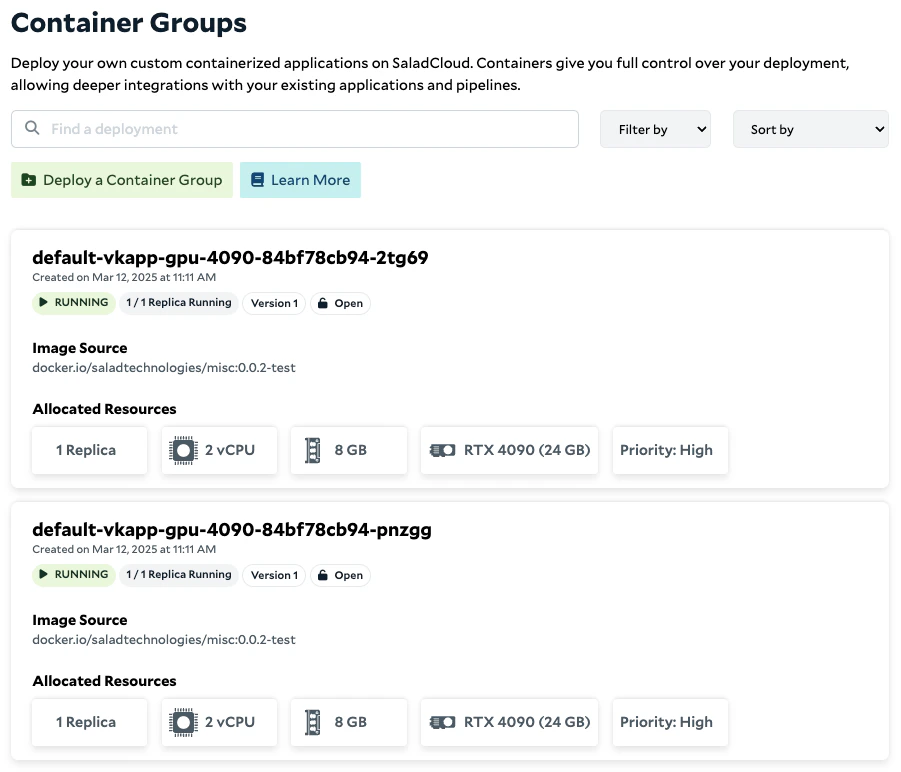
| 3 | Each virtual pod created by a VK node corresponds to a single-replica container group on SaladCloud. A Kubernetes deployment with multiple replicas is mapped to multiple single-replica container groups. | Make sure to check your organization’s quotas if you require a large number of container groups on SaladCloud. |
| 4 | Each container group on SaladCloud requires a unique resource name. You cannot reuse a previously used name, even if the container group has already been removed. | The Kubernetes deployment automatically appends a random suffix to the pod names it generates, ensuring each pod name is unique. If you provision pods directly, rather than using a Kubernetes deployment, you must use unique names for each deployment. |
| 5 | For the resources on SaladCloud managed by a VK node, manual changes outside the VK node may lead to discrepancies between the Kubernetes deployment and the resources on SaladCloud. | It is recommended not to modify resources managed by the VK node directly through the SaladCloud Portal or APIs. |
| 6 | The VK provider does not implement CNI (Container Network Interface) or CSI (Container Storage Interface). Consequently Kubernetes services cannot be used to expose virtual pods, and volume mounting is not supported. | There are a few methods for service access and data exchange across regular pods and the virtual pods in Kubernetes clusters, including using external queue/storage and deploying an ingress gateway for virtual pods to access regular pods. Please refer to the service access guide for detailed instructions. |
| 7 | The VK provider does not support features like kubectl logs and kubectl exec for the virtual pods. | You can access container logs through the SaladCloud Portal, which also offers an interactive terminal, enabling you to log into running containers. |
| 8 | Due to the substantial differences between Kubernetes and SaladCloud, not all Kubernetes APIs and parameters have direct equivalents in SaladCloud. Additionally, special handling is required when using Kubernetes APIs to pass specific parameters to SaladCloud APIs. | Please refer to the application deployment guide for detailed instructions. |